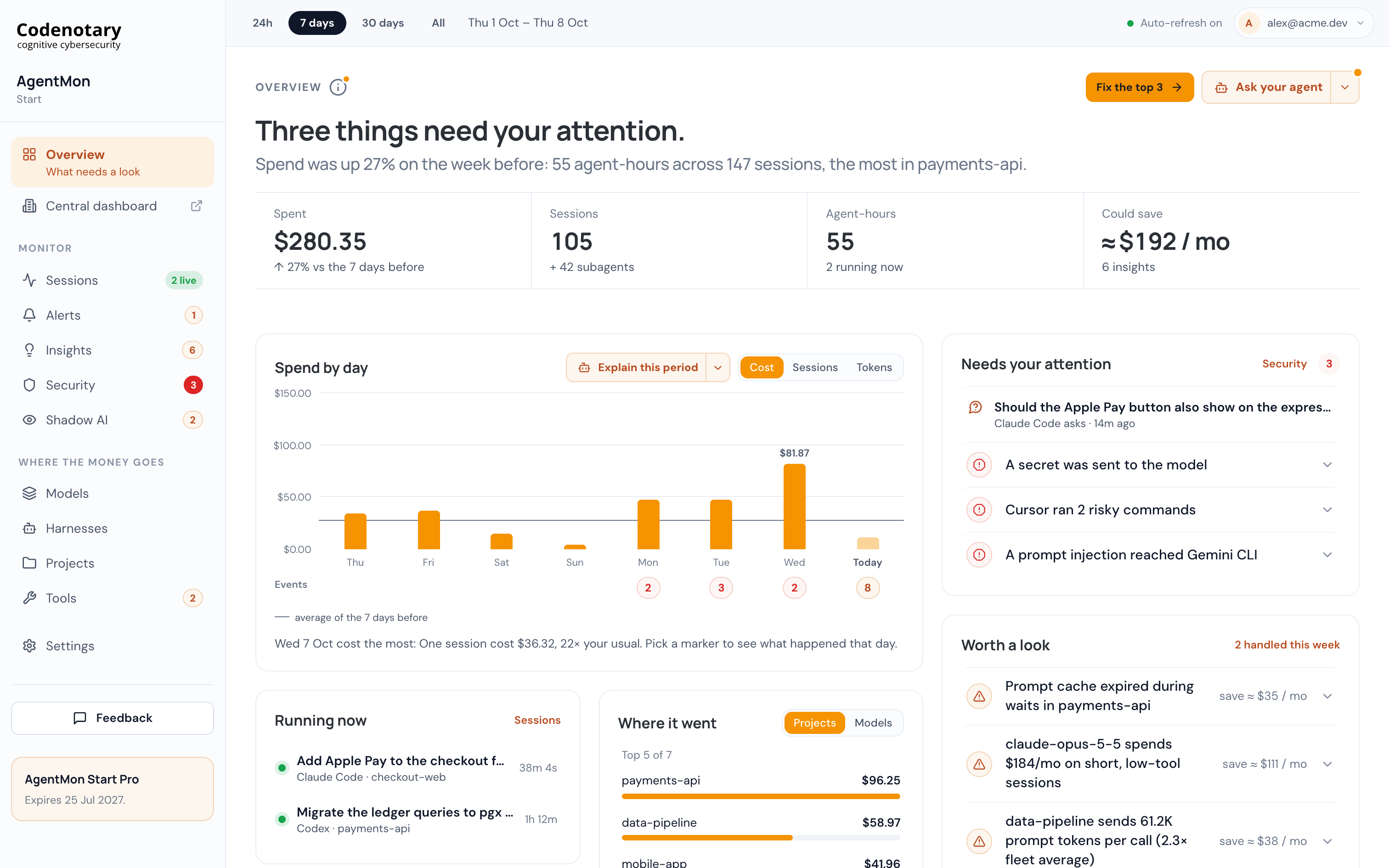
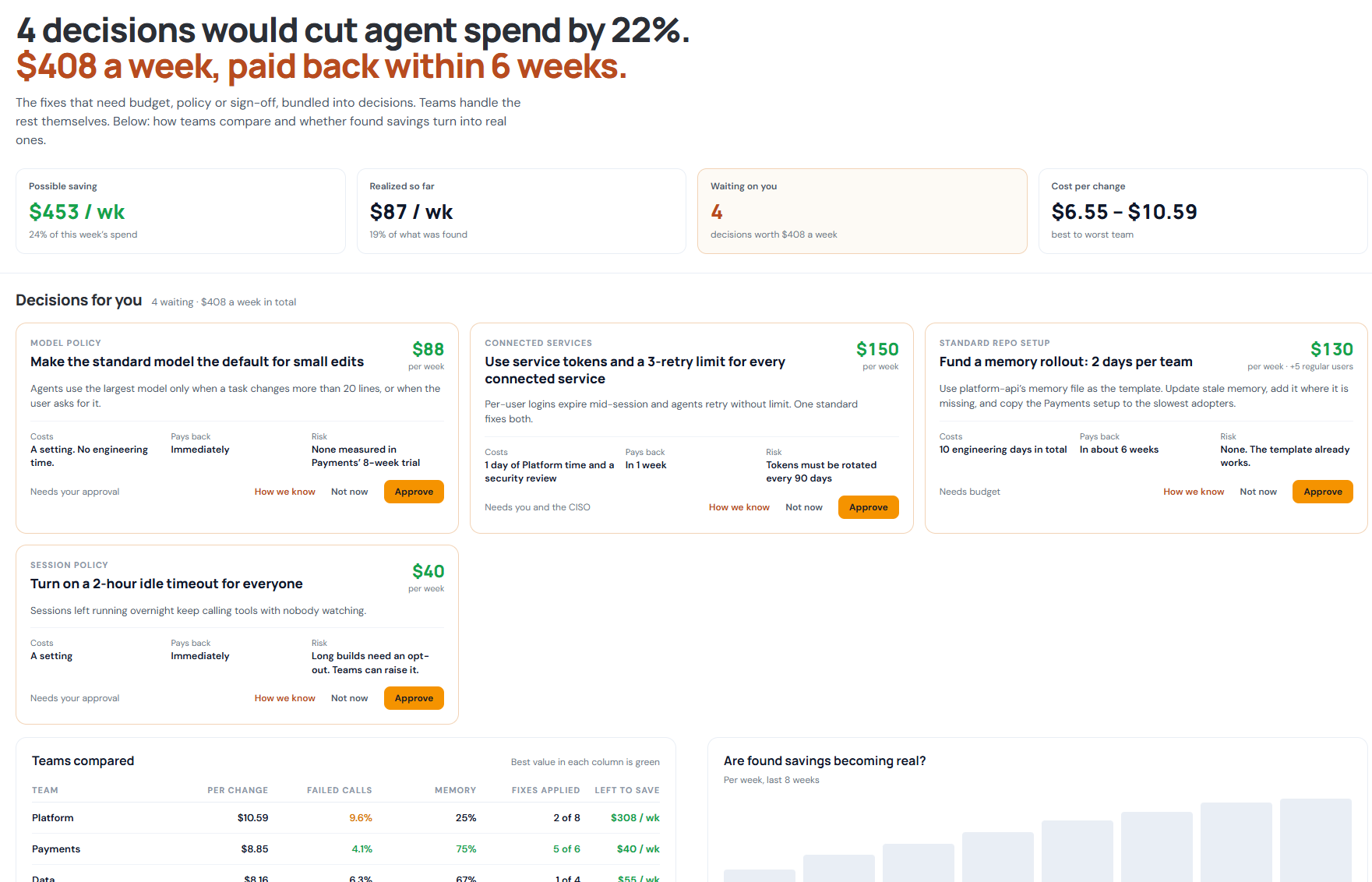
A Jira login expires halfway through a coding session. The agent retries the same update 38 times, spends $41.20, and eventually stops without finishing. AgentMon records the failed calls and the session that contains them, giving the team enough detail to investigate what went wrong.
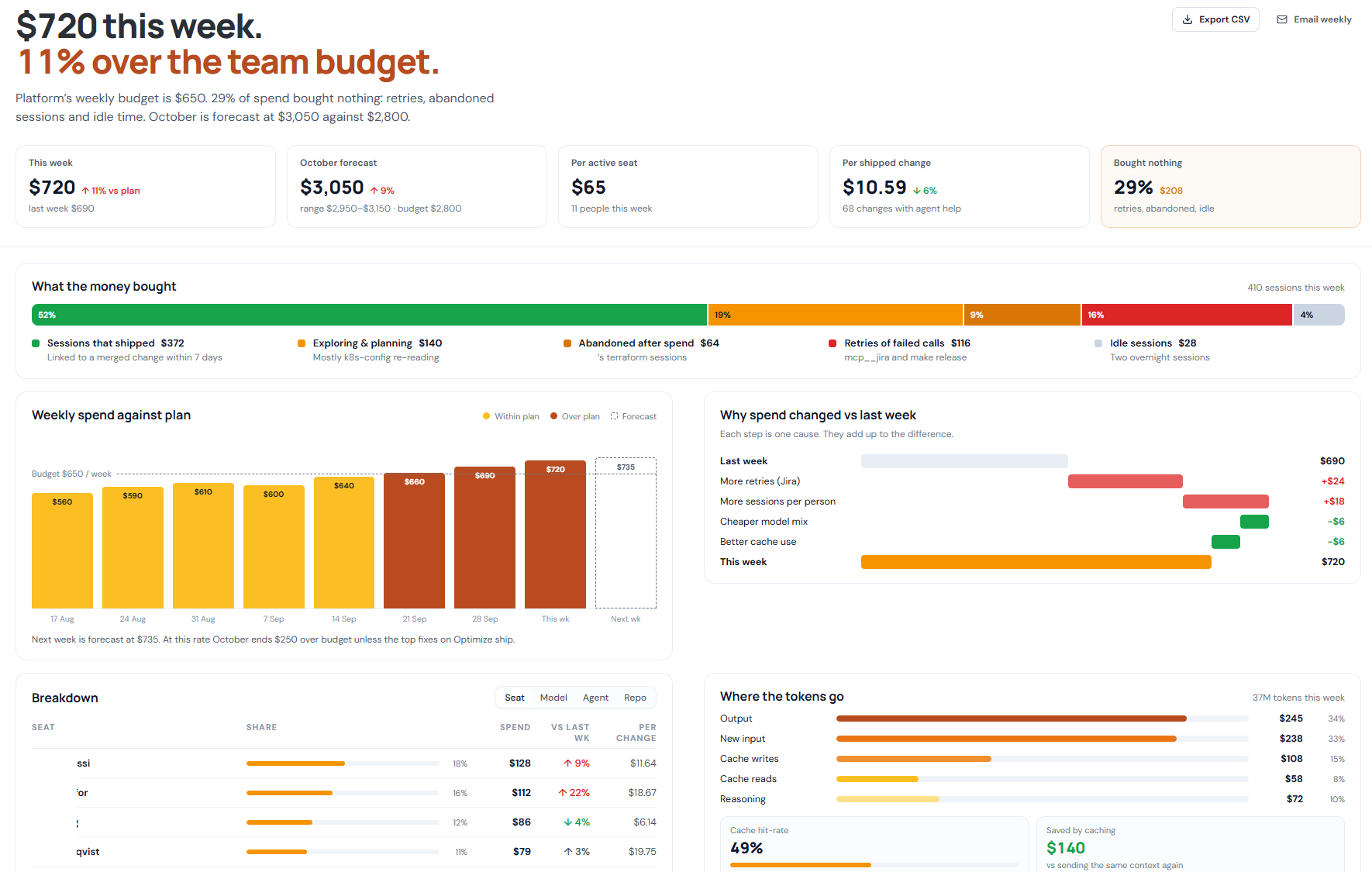
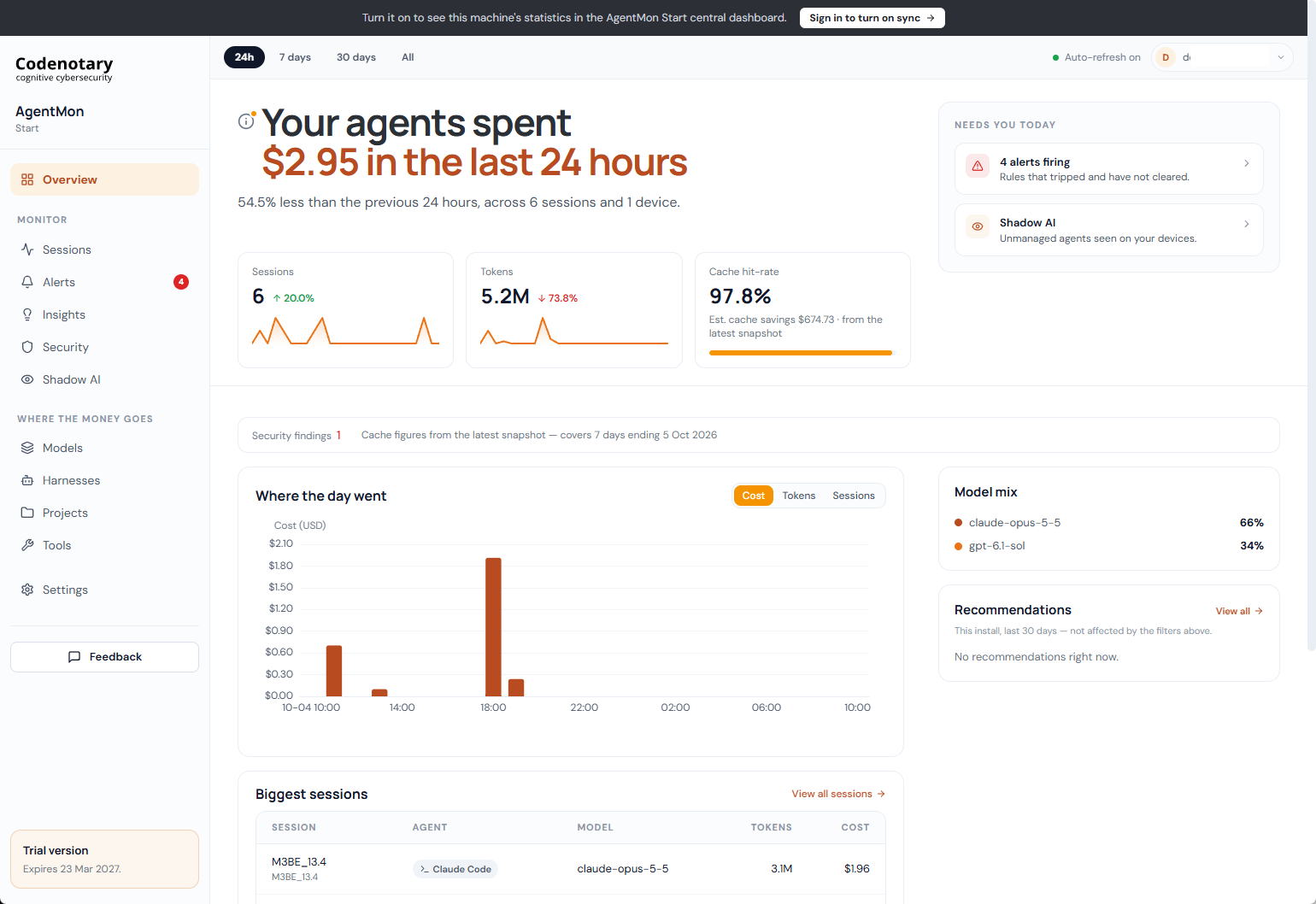
This is one of the examples in AgentMon’s weekly dashboards. The Tools & MCP view shows which tools agents use and how those tools perform. The Sessions view follows the work through to its outcome. Together, they help engineering teams identify recurring problems and decide where to intervene.
Where agents spend their time#
In the company overview, 46% of agent activity during the week involved changing code. Reading and searching accounted for 28%, while commands and tests represented 17%. The remaining activity covered online lookups and other work.
The mix varies by team. An agent exploring an unfamiliar repository will spend time reading. An agent making a routine edit should have less to rediscover. AgentMon shows those differences, so teams can review activity in the context of the work being done.
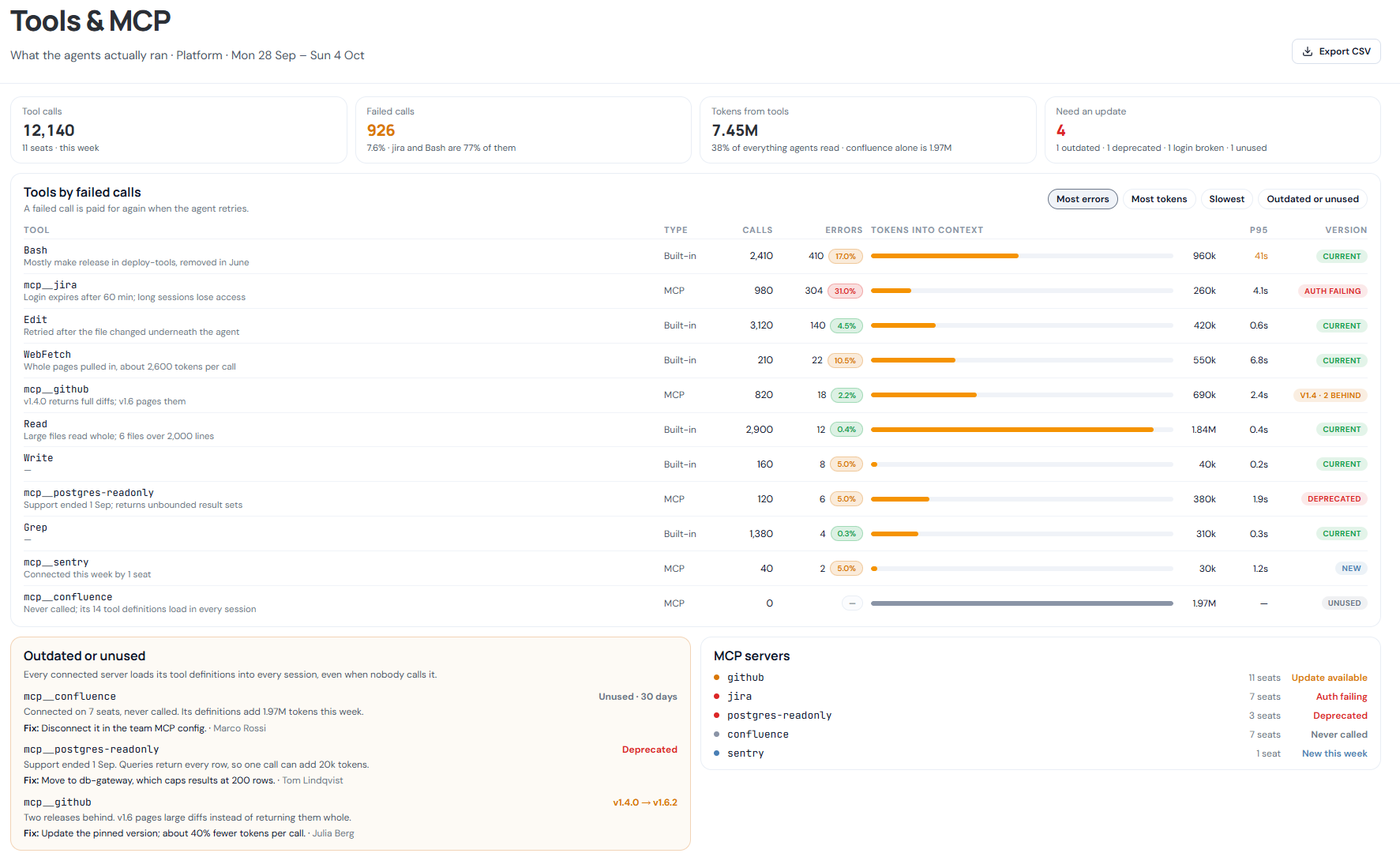
For the Platform team, the Tools & MCP view records 12,140 calls and 926 failures, a failure rate of 7.6%. Bash and Jira account for 77% of the failed calls. The notes beside them explain why: agents are using a release command removed from the repository, and Jira authentication expires after 60 minutes.
Those details give the team specific work to do. Update the release instructions, repair the authentication setup, and check whether the failures decline.
The cost of an unused connection#
AgentMon also measures the tokens tools add to an agent’s context. In the Platform example, tools contribute 7.45 million tokens, or 38% of everything agents read.
Confluence is connected but never called. Its tool definitions still contribute 1.97 million tokens during the week. Removing an unused connection would prevent those definitions from loading into subsequent sessions.
Other entries show where responses can be reduced. Large files are read in full, web fetches return whole pages, and a deprecated database connector returns unbounded results. An older GitHub connector returns complete diffs. AgentMon identifies an update that supports pagination and estimates about 40% fewer tokens per call.
Which sessions need attention#
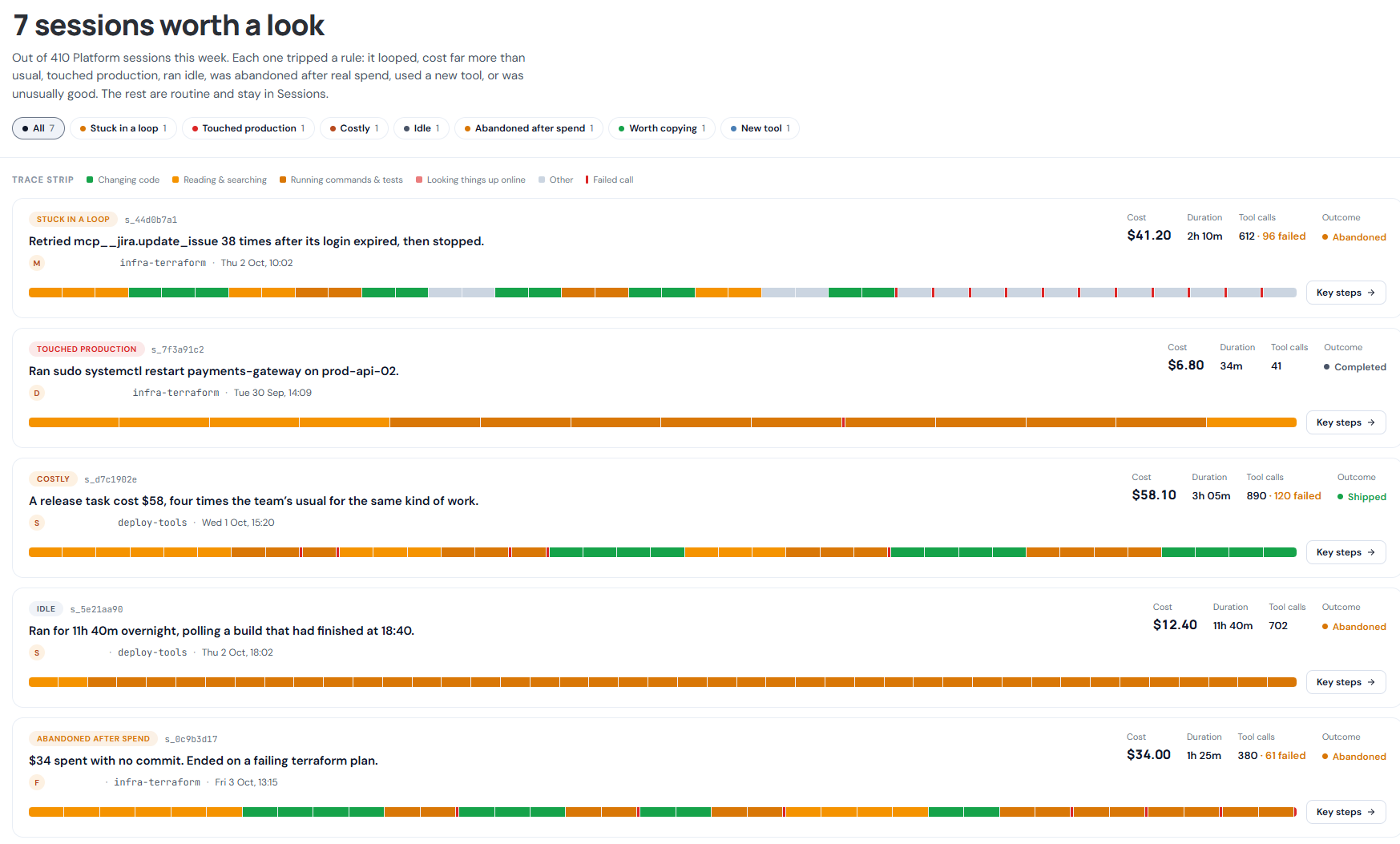
The Platform team recorded 410 sessions during the week. AgentMon highlights seven for review, including a loop, production activity, unusually expensive work, idle activity, abandoned work, a new tool, and a session worth copying.
The Jira retry loop lasted two hours and ten minutes before being abandoned. Another session ran for eleven hours and forty minutes overnight, polling a build that had already finished. A release session cost $58.10, roughly four times the team’s usual cost for similar work, but shipped successfully.
These sessions need different follow-up. The loop points to authentication and retry handling. The overnight session needs a better stopping condition. The expensive release needs a closer review before anyone concludes that its cost was avoidable.
Each session includes a trace strip showing the sequence of reading, editing, commands, and failures. Reviewers can inspect the work around a problem instead of relying on its final status alone.
What agents know when a session starts#
Project memory is another source of repeated work. Across the 14 projects in the company view, six have current memory, three have stale memory, and five have none. One project’s instructions still name an old test database. In another, agents reread the same 30 files at the start of every session.
AgentMon makes these conditions visible alongside tool activity. That gives the team a place to start: correct the database reference, add missing project instructions, and review the next week’s sessions to see whether agents spend less time repeating the same work.
Getting started#
- Create your free Codenotary account and download AgentMon Start for Windows, macOS or Linux.
- Install it and sign in with that account. The first sign-in becomes the admin.
- Keep working. The collector picks up your agents’ existing sessions, and the Overview fills in on its own.
Your first three devices are free for six months, and paid plans start at $15 per user per month.