As we work more and more with Photon OS, we encounter typical system administrator tasks, but are used to Debian or Ubuntu.
So here comes a guideline to resize the Photon OS system disk (first disk of the virtual machine). Its pretty simple and straightforward.
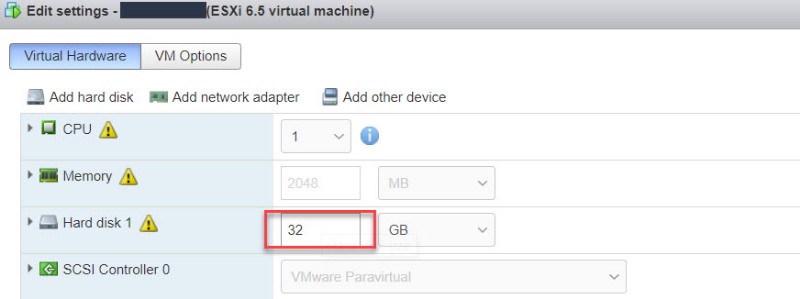
1) Increase the virtual disk#

Hint: When the menu is greyed out, there is a snapshot active! You need to delete the snapshot to extend the disk.
2) Rescan the SCSI Bus#
echo 1 > /sys/class/block/sda/device/rescan
3) check the new disk size using#
fdisk -l
4) Install parted#
tdnf update
tdnf install parted
5) Resize the partition#
parted commands:
- parted /dev/sda
- resizepart 2 100%
- quit
6) Resize the filesystem#
resize2fs /dev/sda2
All done and the partition is resized and fully usable. You can check using df -h