Blog 6 min read
Streamlining Security Patch Management with Guardian and Zendesk APIs: Focus on Fixable Vulnerabilities
In today’s cybersecurity landscape, staying on top of system vulnerabilities is not just good practice, it’s essential. With the growing number of security threats, organizations need efficient ways to identify, track, and remediate vulnerabilities. Even more importantly, they need to focus their limited resources on vulnerabilities that can actually be fixed.
This is where the power of API integration comes into play. By combining Guardian API and Zendesk, we can create a streamlined patch management workflow that enhances security while reducing manual overhead and focusing on actionable vulnerabilities.
The Challenge of Modern Patch Management#
Before diving into the API integration, let’s consider the challenges of modern patch management:
- Volume
- Enterprise environments may have thousands of assets to monitor
- Prioritization
- Not all vulnerabilities are created equal, some require immediate attention
- Fixability
- Many reported vulnerabilities cannot be fixed with simple patching
- Communication: Security teams need to coordinate with system administrators
- Tracking: Remediation efforts must be documented and verified
- Reporting
- Management needs visibility into security status and progress
The fixability challenge is particularly important. Some vulnerabilities have no current patches or may require major architectural changes to address. Security teams waste valuable time when they focus on vulnerabilities that can’t be fixed with standard updates. By filtering these out, we can concentrate efforts where they’ll have the most impact.
Traditional approaches often involve multiple disconnected tools and manual processes. But what if we could automate this workflow and focus only on fixable issues? That’s exactly what combining Guardian and Zendesk APIs allows us to do.
Guardian API: Visibility into Vulnerabilities#
The Guardian API provides a simple yet powerful interface to monitor your assets and vulnerabilities. Its RESTful design makes it accessible to developers of all skill levels.
Key endpoints include:
/assets For retrieving all monitored assets
/assets/failed-scan For identifying assets with failed scans
/assets/{asset\_id}/vulnerabilities For obtaining vulnerability data for specific assets
What makes Guardian particularly valuable is its ability to categorize vulnerabilities by severity (critical, high, medium, low), allowing for intelligent prioritization of remediation efforts. Additionally, the API provides a
fix\_exists
parameter for each vulnerability, indicating whether a patch or fix is currently available. This crucial information allows us to focus our efforts on vulnerabilities that can actually be remediated.
Zendesk API: Turning Insights into Action#
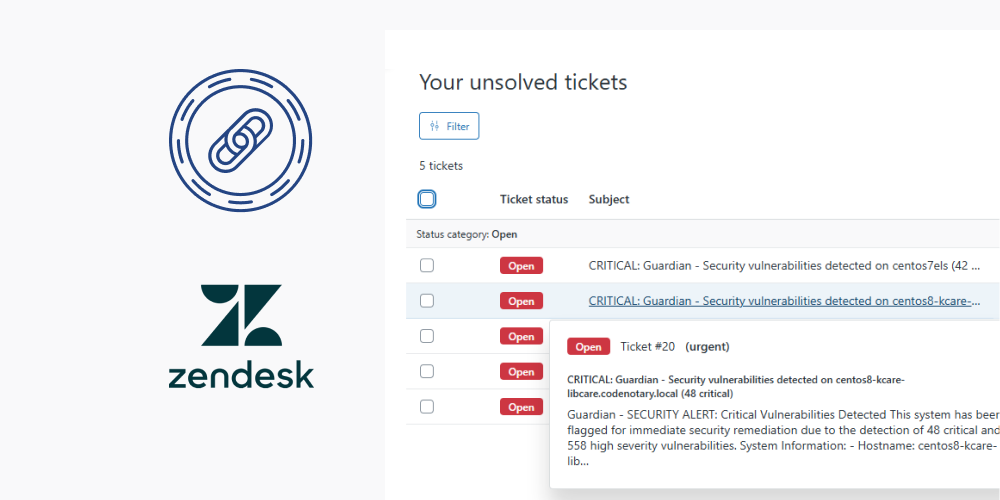
Once we’ve identified vulnerable systems through Guardian, we need to act. This is where Zendesk’s API shines. By programmatically creating tickets, we can:
- Automatically alert the appropriate teams
- Include detailed information about each vulnerability
- Provide specific remediation instructions
- Track progress through ticket status
- Maintain an audit trail of security activities
Zendesk’s API accepts JSON payloads with ticket details, making it simple to create structured, consistent tickets for each vulnerability.
Building the Integration: A Practical Example#
Let’s look at how we can integrate these two APIs to create an effective patch management workflow:
Step 1: Collect Asset and Vulnerability Data (Focusing on Fixable Issues)#
First, we collect data from Guardian to identify assets with fixable vulnerabilities:
def collect_asset_vulnerability_data(api_key, base_url): headers = {“x-api-key”: api_key}
# Get assets with failed scans
assets\_response = requests.get(f"{base\_url}/assets/failed-scan", headers=headers)
assets = assets\_response.json()

results = []
for asset in assets:
    # Get vulnerabilities for each asset
    vuln\_response = requests.get(
        f"{base\_url}/assets/{asset['id']}/vulnerabilities",
        headers=headers
    )
    all\_vulnerabilities = vuln\_response.json()

    # Filter out vulnerabilities that don't have fixes available
    fixable\_vulnerabilities = [v for v in all\_vulnerabilities
                              if v.get('fix\_exists', True) is not False]

    # Count fixable vulnerabilities by severity
    critical\_count = sum(1 for v in fixable\_vulnerabilities
                        if v.get('severity', '').lower() == 'critical')
    high\_count = sum(1 for v in fixable\_vulnerabilities
                    if v.get('severity', '').lower() == 'high')

    # Count total vulnerabilities for reference
    total\_count = len(all\_vulnerabilities)
    unfixable\_count = total\_count - len(fixable\_vulnerabilities)

    # Add to results if there are fixable critical or high vulnerabilities
    if critical\_count > 0 or high\_count > 0:
        results.append({
            "asset\_id": asset['id'],
            "hostname": asset.get('hostname', ''),
            "os": asset.get('os', ''),
            "os\_release": asset.get('os\_release', ''),
            "ip": asset.get('ip', ''),
            "total\_vulnerabilities": total\_count,
            "fixable\_vulnerabilities": len(fixable\_vulnerabilities),
            "unfixable\_vulnerabilities": unfixable\_count,
            "critical\_vulnerabilities": critical\_count,
            "high\_vulnerabilities": high\_count,
            # Include other relevant data
        })

return results
Step 2: Prioritize Assets by Vulnerability Severity#
Next, we sort our assets to identify those with the most critical vulnerabilities:
def get_top_priority_assets(assets_data, limit=5): # Sort by number of critical vulnerabilities (descending) sorted_assets = sorted( assets_data, key=lambda x: x.get(“critical_vulnerabilities”, 0), reverse=True )
# Return the top N assets
return sorted\_assets[:limit]
Step 3: Create Tickets for High-Priority Assets with Fixable Vulnerabilities#
For each high-priority asset, we create a Zendesk ticket with detailed remediation instructions, focusing specifically on fixable vulnerabilities:
def create_zendesk_tickets(zendesk_subdomain, email, token, assets): auth = (f"{email}/token", token) headers = {“Content-Type”: “application/json”}
for asset in assets:
    # Create OS-specific update instructions
    if "ubuntu" in asset.get("os", "").lower():
        update\_cmd = "sudo apt update && sudo apt upgrade -y"
    elif "centos" in asset.get("os", "").lower() or "redhat" in asset.get("os", "").lower():
        update\_cmd = "sudo yum update -y"
    else:
        update\_cmd = "Please update system packages using appropriate package manager"

    # Prepare ticket data
    ticket\_data = {
        "ticket": {
            "subject": f"FIXABLE Vulnerabilities on {asset['hostname']} ({asset['critical\_vulnerabilities']} critical)",
            "comment": {
                "body": f"""
                SECURITY ALERT: Fixable Critical Vulnerabilities Detected

                System Information:
                - Hostname: {asset['hostname']}
                - IP Address: {asset['ip']}
                - Operating System: {asset['os']} {asset['os\_release']}

                Vulnerability Summary:
                - Fixable critical vulnerabilities: {asset['critical\_vulnerabilities']}
                - Fixable high vulnerabilities: {asset['high\_vulnerabilities']}
                - Total vulnerabilities: {asset['total\_vulnerabilities']}
                - Unfixable vulnerabilities: {asset['unfixable\_vulnerabilities']}

                Recommended Action:
                1. Schedule maintenance window
                2. Update system packages:
                   {update\_cmd}
                3. Reboot the system
                4. Run a new vulnerability scan

                Note: This ticket focuses only on vulnerabilities that can be fixed with updates.
                """
            },
            "priority": "high",
            "tags": ["security", "vulnerability", "patch-management", "fixable"]
        }
    }

    # Create the ticket
    response = requests.post(
        f"https://{zendesk\_subdomain}.zendesk.com/api/v2/tickets.json",
        auth=auth,
        headers=headers,
        json=ticket\_data
    )

    if response.status\_code == 201:
        print(f"Ticket created for {asset['hostname']}")
    else:
        print(f"Failed to create ticket: {response.text}")
Step 4: Putting It All Together#
Finally, we can integrate these functions into a complete workflow:
def main(): # Configuration guardian_api_key = “your_guardian_api_key” guardian_base_url = “https://api.example.com/external" zendesk_subdomain = “your-company” zendesk_email = “your.email@example.com” zendesk_token = “your_zendesk_api_token”
# Collect vulnerability data
assets\_data = collect\_asset\_vulnerability\_data(guardian\_api\_key, guardian\_base\_url)

# Identify high-priority assets
top\_assets = get\_top\_priority\_assets(assets\_data)

# Create tickets for remediation
create\_zendesk\_tickets(zendesk\_subdomain, zendesk\_email, zendesk\_token, top\_assets)

print(f"Process complete. Created tickets for {len(top\_assets)} assets.")
Benefits of This Focused Integration#
By combining these APIs and focusing on fixable vulnerabilities, we gain several significant advantages:
- Automation: Reduce manual effort in vulnerability management
- Consistency: Standardized approach to vulnerability remediation
- Smart Prioritization: Focus only on critical issues that can actually be fixed
- Resource Optimization: Don’t waste time on vulnerabilities without available patches
- Accountability: Clear assignment and tracking of remediation tasks
- Documentation: Maintain a complete history of security activities
- Efficiency: Reduce the time from vulnerability detection to resolution
- Clarity: Distinguish between fixable and unfixable vulnerabilities in reporting
Extending the Integration#
This focused integration can be extended in numerous ways:
- Scheduled Execution: Run the script daily to continuously monitor for new vulnerabilities
- Email Notifications: Send summaries to security teams
- Custom Fields: Add more detailed vulnerability information to tickets
- Unfixable Vulnerability Reporting: Create separate reports for vulnerabilities that cannot be fixed with patches
- Compliance Reporting: Generate reports for regulatory requirements
- SLA Tracking: Monitor time-to-remediation against service level agreements
- Risk Assessment: Calculate risk scores based on fixable vs. unfixable vulnerabilities
- Alternative Remediation: For unfixable vulnerabilities, suggest compensating controls or workarounds
Conclusion#
The integration of Guardian API and Zendesk demonstrates how relatively simple API interactions can create powerful security workflows. By automating the identification of fixable vulnerabilities and the creation of targeted remediation tickets, organizations can significantly improve their security posture while reducing the operational burden on security teams.
In an era where security threats are constantly evolving, the ability to quickly identify and remediate vulnerabilities is crucial, but so is the ability to focus on what’s actually fixable. Not every vulnerability has a patch available, and security teams waste valuable time when they chase issues that can’t be solved with standard updates. This API integration approach provides a scalable, efficient way to manage patches across complex environments by focusing specifically on actionable vulnerabilities.
Remember, effective security isn’t just about having the right tools, it’s about connecting them in ways that enhance visibility, enable focused action, and improve outcomes. The Guardian - Zendesk integration with fixability filtering is a perfect example of this principle in action.
By distinguishing between fixable and unfixable vulnerabilities, security teams can:
- Focus their efforts where they’ll have the most impact
- Present a clearer picture to management about what can realistically be remediated
- Better allocate resources between immediate patching and longer-term security strategy
- Reduce alert fatigue by only creating tickets for issues that can be addressed
This smarter approach to vulnerability management is essential in today’s resource-constrained security environments.